Prototype · In testing
A small AI assistant that runs on your phone.
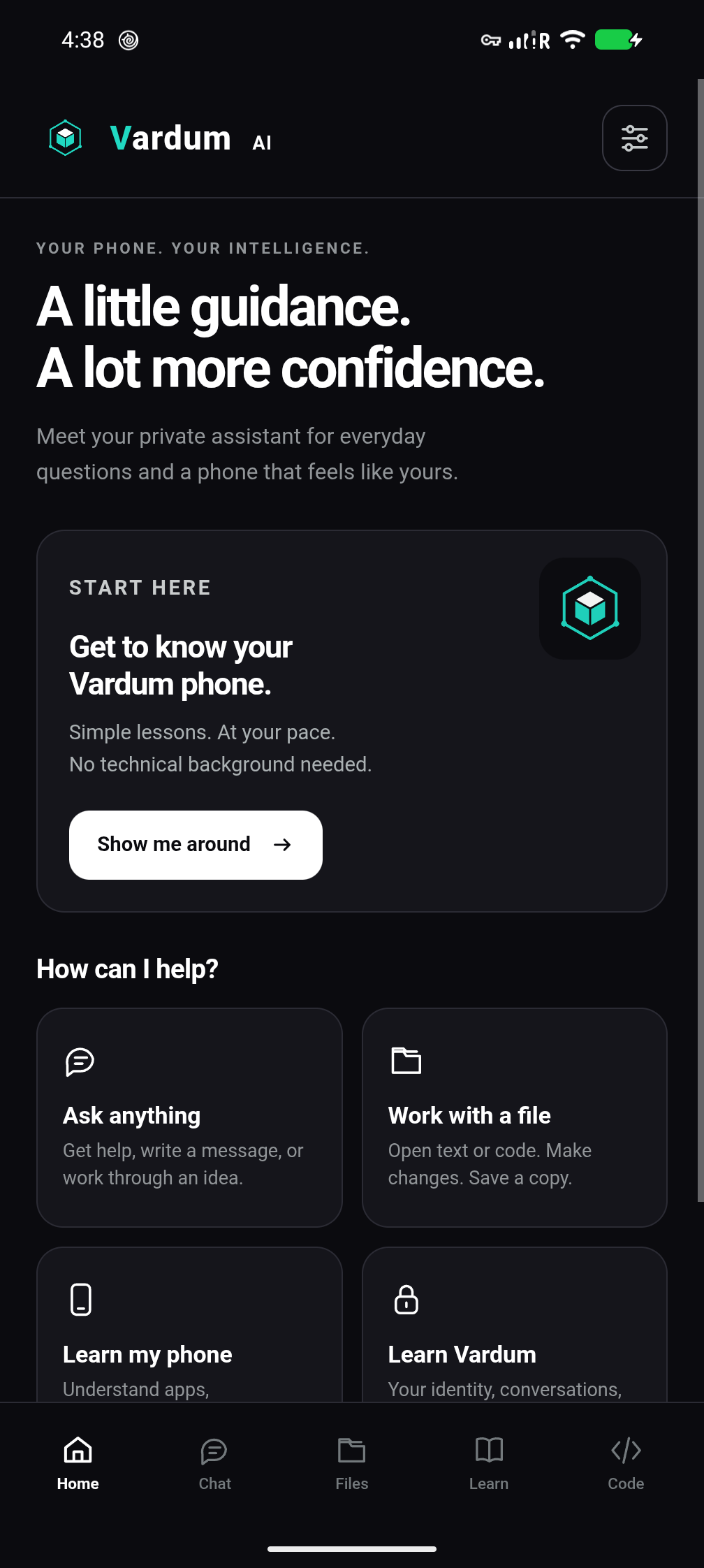
Vardum AI answers on the phone itself, on a Pixel running GrapheneOS Hardened "Graph". Ask everyday questions, learn your phone, and make small tools you can keep. No AI account to sign up for, and nothing sent to a cloud AI to be answered.
Tested on one Pixel 8 Pro. Not for sale yet, and not part of the phone packages.
What it does
Everyday help, on the phone in your hand
Start with something small: a question, a file you chose, or a phone feature you haven't used yet.
Ask in your own words
Plain-language answers to everyday questions, short drafts and small plans. Spelling mistakes and casual wording are fine.
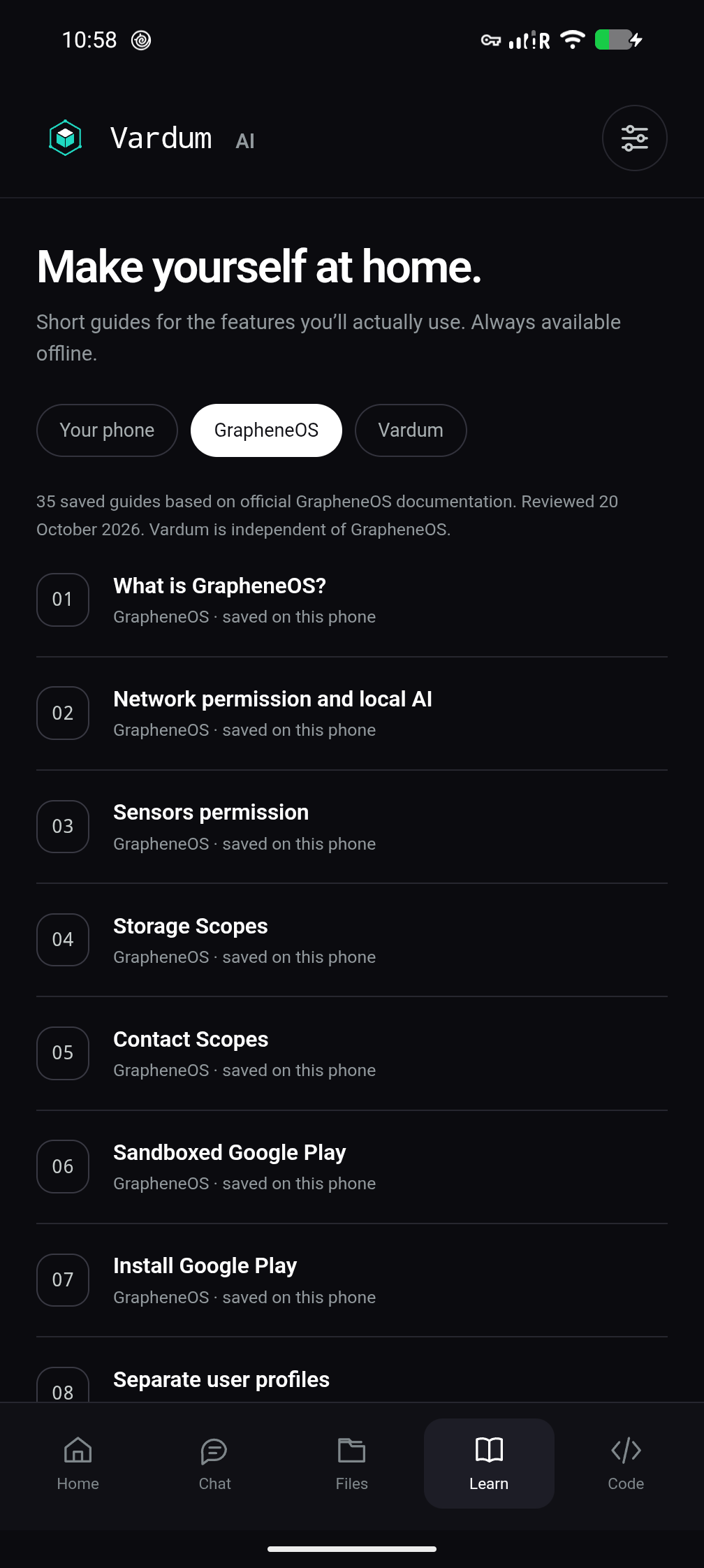
Learn your phone
Nine short lessons and 35 saved GrapheneOS guides, readable offline, each with its source. They explain settings; they never change them for you.
Work with a file you choose
Open a text or code file, ask about a part of it, make changes and save a copy. Nothing is opened unless you pick it.
Small tools
Tools you can adjust, keep and use again
Vardum Code starts from five tools we've written and reviewed. Ask the AI to change their settings, like your hourly rate, markup, title or colours, and the tested core stays as it is.
Job calculator
Hours, materials, rate and markup, with a running total.
Quote and invoice
Named quotes you can reopen, and a plain invoice to print or save as a PDF.
Expense tracker
Add and edit expenses and see the total. Entries stay after the app closes.
Task list
Add, tick off and rename tasks.
Tap counter
A simple counter with a reset, for anything you need to count.
Build from scratch Experimental
Ask for something new, if you choose. It's slower and often doesn't finish, so treat the result as a draft.
How a change happens
- Describe it. If the idea is vague, Vardum AI offers three directions or lets you write your own, then shows a brief you can edit.
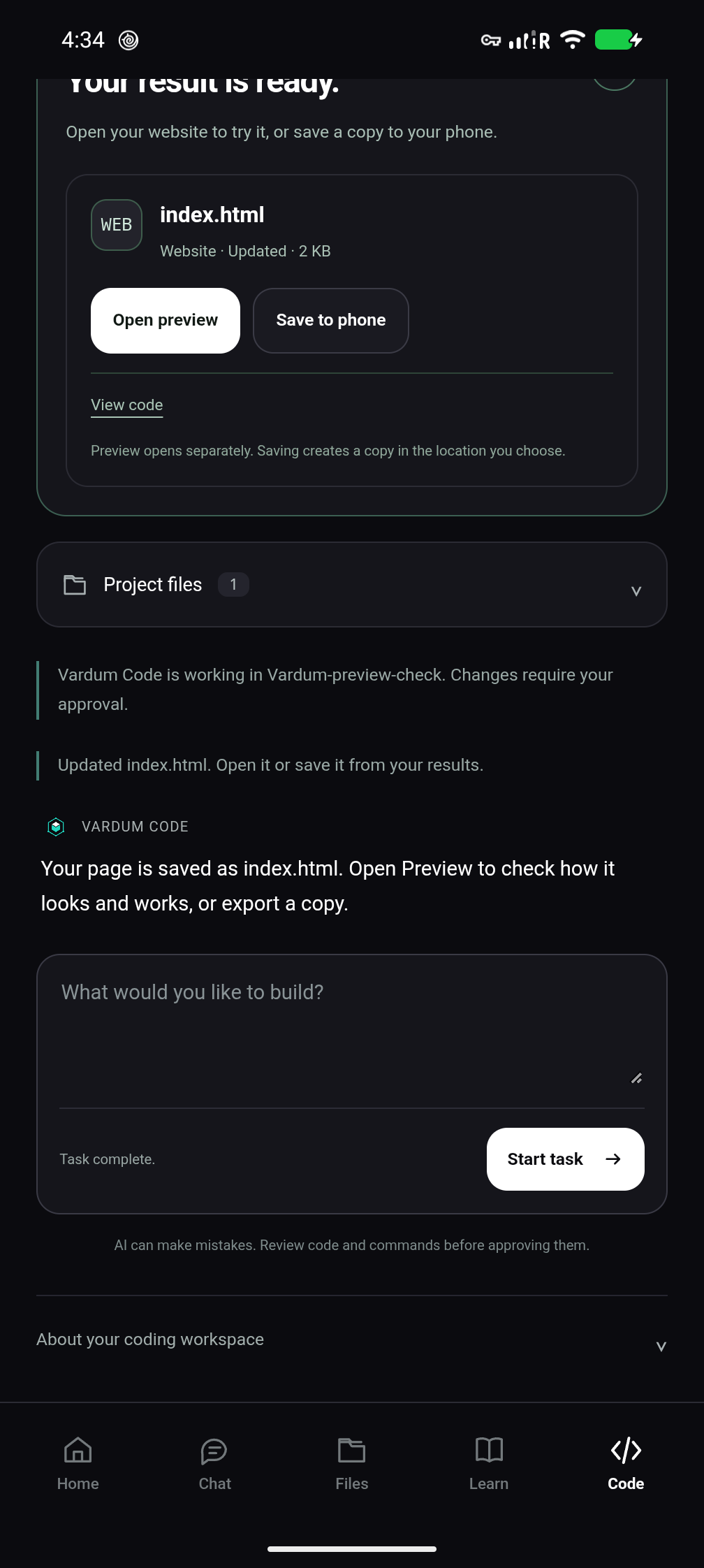
- Review it. You see the proposed change and a preview before anything is saved.
- Approve it. Nothing is written without your OK. Running code is a separate approval.
- Keep it. Saved tools reopen with the values you entered, until you delete them. Export a copy whenever you like.
Want a feel for it? Try an example quote tool in your browser. We wrote that example for this website; the AI didn't make it. If you press Save, it keeps the quote in your browser only (see the privacy policy).
Your information
It stays on the phone
The model, lessons and guides run on the phone. Your questions aren't sent to us or to a cloud AI to be answered.
No AI account, no cloud AI
Nothing to sign up for and no AI bill, and it works offline once it's running. Chats last for the session only. Saved tools keep their values on the phone until you delete them, with no backup or sync.
You approve what it does
It can't edit your files from a chat. Saving a change and running code each need your OK, and approved code has real access to files and the internet, so check it first.
Separate from Vardum Messenger
Vardum AI doesn't read your Vardum messages, keys or vaults. Messenger's encryption, burn timers and duress password don't apply to anything in Vardum AI.
Where it's at
- It's a prototype, tested on one Pixel 8 Pro. There's no download, price or release date yet, and it isn't part of the phone packages.
- It's a small model, Qwen3-4B-Instruct-2507 from the Qwen team (Apache-2.0), so answers and writing can be wrong. Check anything important.
- For now the engine is started by hand in Termux. A one-tap version comes before any release.
- There's no web search, no memory between chats, and no access to other apps or your phone's settings.
- What it does and doesn't claim is in the claims register (AI-01 to AI-05). The terms and privacy policy cover it.
- GrapheneOS is an independent open-source project. Vardum isn't affiliated with it or endorsed by it.
Where next